1
System Menu Options
English
Basic operations
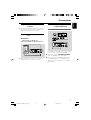
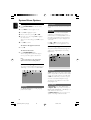
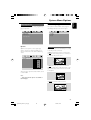
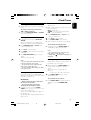
Screen Saver
1
Press SYSTEM MENU to enter the Setup
Menu.
This function is used to turn the screen saver on
or off.
2
3
4
5
Press à/á to select a page to be set.
6
Press 5/4 to highlight an option.
Enter its submenu by pressing á or OK.
Move the cursor by pressing 5/4 to highlight
the selected item.
➜ In cases of value setting. press 5/4 to adjust
values.
Press OK to confirm.
To return to the upper-level menu
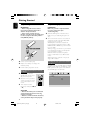
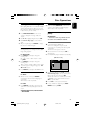
DIVX VOD
Philips provides you with the Divx(R)VOD
registration code that allows you to rent or
purchase videos from Divx(R) VODE service at
www.divx.com/vod. All the downloaded videos
from Divx(R)VOD can only be displayed back
on this unit.
Press á or OK to enter its submenu, then
press OK again to see the registration code.
Div
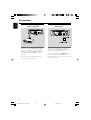
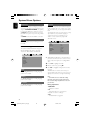
Audio Setup Page
● Press à.
To exit from the menu
● Press SYSTEM MENU again.
➜ The settings will be stored in the player’s
memory even if the player is switched off.
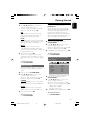
The options included in Audio Setup Page are:
“Night Mode”, “Digital Output” and “Dolby
Digital Setup”.
Note:
– Some of the features in the System Menu
Options are described in “Getting Started”.
General Setup Page
The options included in General Setup Page are:
“OSD Lang”, “Screen Saver” and “DIVX VOD”.
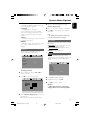
Night Mode
➜ On: Select this to level out the volume. High
volume outputs will be softened and low volume
outputs are brought upward to an audible level.
➜ Off: Select this when you want to enjoy the
surround sound with its full dynamic range.
This feature is only available for movies with
Dolby Digital mode.
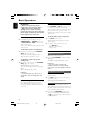
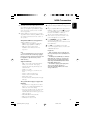
Digital Output
OSD Lang
See "Getting Started-Step 3: Setting language
preference" for details.
➜ Digital Off: Turns off the digital output.
➜ Digital / Raw: If you have connected your
DIGITAL OUT (COAXCIAL or OPTICAL) to a
multi-channel decoder/receiver.
➜ SPDIF / PCM: Only if your receiver is not
capable of decoding multi-channel audio.
28
pg022-039_MCD179_12_Eng
28
2/5/09, 10:06