1
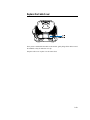
CONNECTIONS ON UNDERSIDE
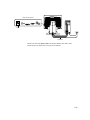
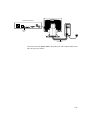
USB CONNECTOR
USB TOUCHSCREEN CABLE
Connect one end of the USB cable to the rear side of the computer and the other to the
LCD monitor.
The USB cable is for optional touch, MSR, CD and Finger Print Reader. Only one USB
cable is needed because the device contains a self powered USB 1.1 Hub. Two self
powered ports are available for running other USB devices. For touch only, no USB
Hub is present.
2-18 Elo Touchmonitor User Guide