1
1 Important
2
Safety
2
Safety precautions and maintenance 2
Notice
2
Declaration of Conformity
2
End of life disposal
2
Recycling Information for Customers 3
Compliance with Electro-Magnetic Field
(EMF)
3
Recycling
3
North Europe Information
(Nordic Countries)
4
Banned Substance Declaration
4
2 Your Digital PhotoFrame
Introduction
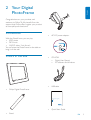
What’s in the box
Overview of your PhotoFrame
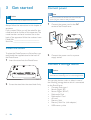
3 Get started
Install the stand
Connect power
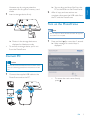
Connect a storage device
Connect PC
Turn on the PhotoFrame
4 Use your Digital PhotoFrame
5
5
5
7
8
8
8
8
9
9
5 Slideshow
18
Select slideshow sequence
Select a transition effect
Select slideshow frequency
Display collage photos
Select photo background
18
18
19
19
20
6 Setup
21
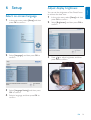
Select on-screen language
Adjust display brightness
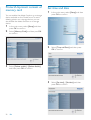
Protect/Unprotect content of memory card
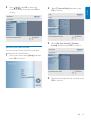
Set time and date
Set time and date format
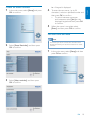
Show clock
Set an event reminder
Create an event reminder
Set event time and date
Set on/off a reminder
Delete a reminder
Select a reminder photo
Set snooze
Set display auto on/off by time
Set on Demo
Set auto orientation
Set button sound
View status of the PhotoFrame
Set to factory default
21
21
22
22
23
24
24
25
25
26
27
27
28
29
30
31
31
32
32
10
Display photos
10
Browse photos in thumbnail mode and
access photo menu
11
Select a photo effect
12
Select a photo frame
12
Rotate a photo
12
Zoom and crop a photo
12
Create an album
13
Delete an album
13
Rename an album
14
Play video
14
Play music
15
Play background music
16
Copy/Delete photos or files
16
7 Product information
33
8 Frequently asked questions
35
9 Glossary
36
Need help?
Please visit www.philips.com/welcome where
you can access a full set of supporting materials
such as user manual, the latest software updates
and answers to frequently asked questions.
EN
1
E n g lish
Contents