1
Linux Driver Support
4 - Updating the Driver
If you are not booting from disks attached to RocketRAID 174x controller, you can
update the driver just by reinstalling it following the procedure outlined in the
previous section, “Installing the RocketRAID 174x driver for an Existing System”.
If you are running the system installed to a disk or array attached to the RocketRAID
174x:
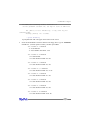
First, obtain the new driver module “rr174x.ko”. Refer to the previous section
“Obtain the Driver Module”. In following steps, we assume it has been
copied to “/tmp/rr174x.ko”.
Replace rr174x.o in the boot RAM disk image, /boot/initrd-xxx.img (where xxx is
the kernel version).
Example: (2.4.21-4.EL for Red Hat Enterprise Linux 3.0):
# gzip -dc /boot/initrd-xxx.img > /tmp/initrd.ext2
# mkdir /mnt/initrd
# mount -o loop /tmp/initrd.ext2 /mnt/initrd
# cp /tmp/rr174x.o /mnt/initrd/lib/rr174x.o
# umount /mnt/initrd
# gzip -c /tmp/initrd.ext2 > /boot/initrd-xxx.img
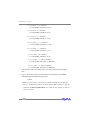
If you are using lilo to boot the system, use “lilo” to reinstall the RAM disk:
# lilo
Update rr174x.o in /lib/modules:
# cp /tmp/rr174x.ko /lib/modules/‘uname –r‘/kernel/drivers/scsi/rr174x.ko
Reboot your system to allow the new driver take effect.
5 - Uninstalling the Driver
To uninstall the RocketRAID 174x driver
Note: The driver cannot be uninstalled while the system is booted from a disk or array
attached to the RocketRAID 174x.
To uninstall the driver, remove the lines added to /etc/fstab, and remove the files
created in the /etc/init.d directory.
5-8