1
Contents
About O&O DiskStat
Differences between the three Editions
1
1
System Requirements
2
Installation
3
Note about licensing
3
Enter license
3
Completing registration
4
Uninstall
4
Using the test version
4
Updates of O&O DiskStat
4
Getting started
5
Navigation Through Your Computer
6
Analyzing drives and folders
6
Analyzing drives
7
Analyzing Folders
8
Understanding the chart
10
Overview of the Hard Disk
10
Select chart type
11
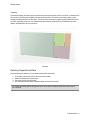
Treemap
13
Deleting Superfluous Data
Advanced settings
13
14
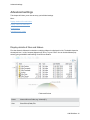
Display details of files and folders
14
Display chart of an entire drive
15
Chart settings
16
Display Sub-Charts (Chart Navigation)
17
Display smaller files and folders
18
Select number of folders in the chart
18
Set Chart Colors
18
Print/Save/Copy a chart
18
O&O DiskStat - II