1
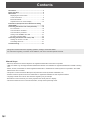
Contents
Part Names........................................................................3
Basic Operation................................................................5
Menu Items........................................................................7
Displaying the menu screen..........................................7
List of menu items.........................................................8
Menu item details........................................................10
Adjustments for PC screen display.............................16
Initialization (Reset)/Functional Restriction Setting
(FUNCTION).....................................................................17
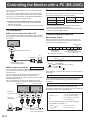
Controlling the Monitor with a PC (RS-232C)...............18
PC connection.............................................................18
Communication conditions..........................................18
Communication procedure..........................................18
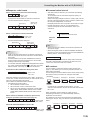
Setting of the GAMMA user data.................................21
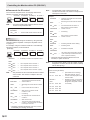
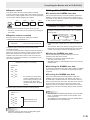
RS-232C command table............................................22
Controlling the Monitor with a PC (LAN)......................29
Settings to connect to a LAN.......................................29
Controlling with a PC...................................................31
Troubleshooting..............................................................37
This guide contains instructions regarding operation, settings, and similar details.
For instructions regarding connection and installation, refer to the included Operation Manual.
Manual Scope
- Microsoft, Windows and Internet Explorer are registered trademarks of Microsoft Corporation.
- HDMI, the HDMI Logo and High-Definition Multimedia Interface are trademarks or registered trademarks of HDMI Licensing
LLC.
- Adobe, Acrobat, and Reader are either registered trademarks or trademarks of Adobe Systems Incorporated in the United
States and/or other countries.
- This product comes with RICOH Bitmap Fonts produced and sold by RICOH COMPANY, LTD.
- All other brand and product names are trademarks or registered trademarks of their respective holders.
- Language of OSD menu used in this manual is English by way of example.
- Illustrations in this manual may not exactly represent the actual product or display.
- This manual assumes use in horizontal orientation, except where specifically noted.
E
2