1
Chapter 2 — Connecting and Configuring the CK61
Configuring TLS Security With Profile Wizard
EAP-TLS is a protocol based on the Transport Layer Security (TLS)
protocol widely used to secure web sites. This protocol requires both
the user and authentication server to have certificates for mutual
authentication.
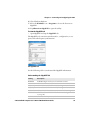
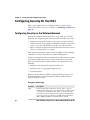
To configure TLS security
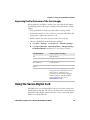
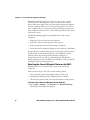
1 In the Profile Wizard, select the Security page.
2 For 802.1x Security, choose TLS.
3 For Association, choose Open, WPA, WPA2, or Network EAP.
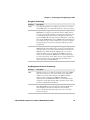
4 For Encryption, choose TKIP or AES if you selected WPA2 for
association, or WEP if you selected Network EAP for association.
5 For Subject Name, type a unique subject name for this protocol.
6 For User Name, type a unique user name for this protocol.
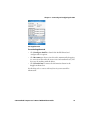
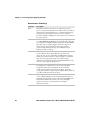
7 Tap Get Certificates to obtain or import server certificates. For
help with certificates, see “Loading a Certificate” on page 62.
8 Tap Additional Settings to server certificate validation and trust.
9 Check Validate Server Certificate to verify the identity of the
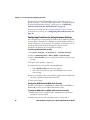
authentication server based on its certificate when using TLS.
10 Tap Root CA, select a root certificate, and then tap OK.
11 Enter the Common Names of trusted servers.
12 Tap OK.
Configuring TTLS Security With Profile Wizard
TTLS protocol provides authentication like EAP-TLS but does not
require user certificates. User authentication is done using a password
or other credentials that are transported in a securely encrypted
“tunnel” established using server certificates.
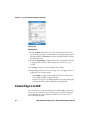
To configure TTLS security
1 In the Profile Wizard, select the Security page.
2 For 802.1x Security, choose TTLS.
3 For Association, choose Open, WPA, WPA2, or Network EAP.
4 For Encryption, choose TKIP or AES if you selected WPA2 for
association, or WEP if you selected Network EAP for association.
CK61 Handheld Computer User’s Manual With Windows Mobile
57