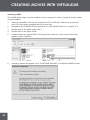
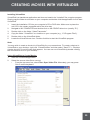
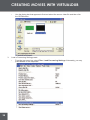
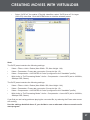
1
MOVIE MODE
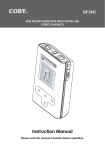
Enter Movie mode to play your XviD-encoded AVI video files.
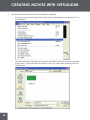
The MP-C951 supports playback of XviD-encoded AVI files. Please see the Creating Movies
with VirtualDub section for details on how to create video files that are compatible with the
MP-C951.
To enter Movie mode, select and confirm MOVIE in the Main menu. Upon entering Movie mode,
you can use the File Browser to look for movie files in the MOVIE FILE folder of your player.
•
Use the Navigation keys to select folders and movie files to play. Refer to the Basic Operations section for details.
•
With a file selected in the File Browser, touch and hold
•
While a movie file is playing, touch
to display the progress bar on screen. The on-screen
display will disappear automatically after a few seconds.
to view file information.
21