1
20
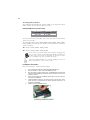
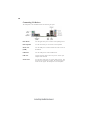
Connecting I/O Devices
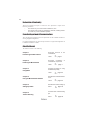
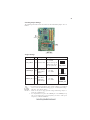
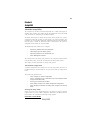
The backplane of the motherboard has the following I/O ports:
PS2 Mouse
Use the upper PS/2 port to connect a PS/2 pointing device.
PS2 Keyboard
Use the lower PS/2 port to connect a PS/2 keyboard.
Serial Port
(COM)
Use the COM port to connect serial devices such as mice or
fax/modems.
USB Ports
Use the USB ports to connect USB devices.
LAN Port
Connect an RJ-45 jack to the LAN port to connect your
computer to the network.
Audio Ports
Use the three audio ports to connect audio devices. The
first jack is for stereo line-in signal. The second jack is for
stereo line-out signal. The third jack is for microphone.
Installing the Motherboard