1
Motherboard User’s Guide
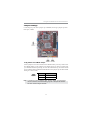
Installing the Processor
This motherboard has a LGA775 socket for the latest Intel Core 2 Quad/Intel®
CoreTM 2 Duo/Pentium® Dual-Core/Celeron® Dual-Core/Celeron® 400 series processors. When choosing a processor, consider the performance requirements of the system. Performance is based on the processor design, the clock speed
and system bus frequency of the processor, and the quantity of internal cache
memory and external cache memory.
CPU Installation Procedure
Follow these instructions to install the CPU:
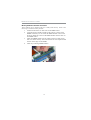
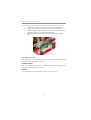
A. Read and follow the instructions
shown on the sticker on the CPU cap.
B. Unload the cap
• Use thumb & forefinger to hold the
lifting tab of the cap.
• Lift the cap up and remove the cap
completely from the socket.
C. Open the load plate
• Use thumb & forefinger to hold the
hook of the lever, pushing down and
pulling aside unlock it.
• Lift up the lever.
• Use thumb to open the load plate.
Be careful not to touch the contacts.
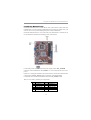
D. Install the CPU on the socket
• Orientate CPU package to the socket.
Make sure you match triangle marker
to pin 1 location.
8