1
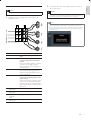
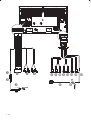
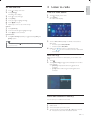
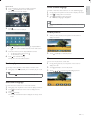
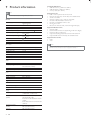
Connect to/with
Extension wire
Parking brake (-)
Connected in step 1 above.
Rear line out Left/Right
Front line out Left/Right
Subwoofer
Aux Right
Aux Left
Video in
Camera in
Video out 1
Video out 2
Reverse camera (B+)
Back lamp lead +
CEA100
3
4
5
6
7
8
9
10
11
12
13
14
15
16
17
Connector/Obeject
Pink wire
2.5m extension wire
(Not included)
Brake switch
Ground
ISO wires
Grey wire
Black wire
Blue cable
Red cable
White cable
Yellow cable
Yellow cable
Yellow cable
Yellow cable
Purple wire
Gearbox switch
Reverse gear signal
Eng l i sh
1
2
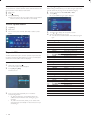
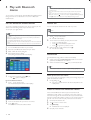
Connect radio antenna
Connect the radio antenna to the radio antenna of the system for
better radio signal.
1
Connect the radio antenna to the car antenna.
Note
F Please consult your Phillips dealer or distributer to purchase the CEA100 external
navigation box.
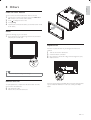
Mount in the dashboard
Note
F Check wire connection before you mount the unit into a car.
F If preset radio stations are lost when the ignition key is turned OFF and then back
ON, reconnect the red leads crosswise to the yellow ones.
1
If the car does not have an on-board drive or navigation
computer, disconnect the negative terminal of the car battery.
F If you disconnect the car battery in a car that has an onboard drive or navigation computer, the computer may lost
its memory.
F If the car battery is not disconnected, to avoid short-circuit,
ensure that bare wires do not touch each other.
2
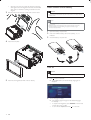
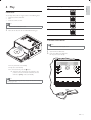
Ensure that car dashboard opening is within these
measurements:
m
5m
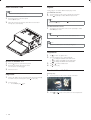
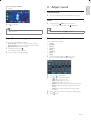
Connect external navigation box
This unit supports GPS navigation by connecting Philips CEA100
external GPS navigation box.
mm
112mm
182
EN
11