1
Contents
1. Introduction .................................................................................................................................................... 4
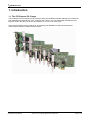
1.1. The PCI Express PX- Range .................................................................................................................. 4
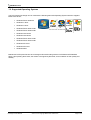
1.2. Supported Operating Systems................................................................................................................ 5
2. Installation Instructions .................................................................................................................................. 6
2.1. Windows XP and Windows Server 2003 Installation .............................................................................. 7
2.2. Windows Vista & Server 2008 64 & 32 bit Installation.......................................................................... 10
2.3. Windows 7/Server 2008 R2 .................................................................................................................. 13
3. Product Configuration .................................................................................................................................. 16
3.1. Finding your Brainboxes COM port....................................................................................................... 16
3.2. Changing your COM label..................................................................................................................... 17
3.3. Port Settings.......................................................................................................................................... 18
3.4. RS422/485 Settings .............................................................................................................................. 20
3.5. UART Settings ...................................................................................................................................... 22
3.6. Termination Resistors ........................................................................................................................... 24
4. Uninstallation – Windows Server 2008/Vista/Server 2003/XP .................................................................... 25
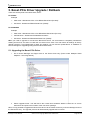
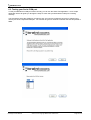
5. Boost.PCIe Driver Upgrade / Rollback ........................................................................................................ 28
5.1. Upgrading the Boost.PCIe Driver.......................................................................................................... 28
6. Troubleshooting and Testing ....................................................................................................................... 29
6.1. Installation problems ............................................................................................................................. 29
6.2. Communication Problems..................................................................................................................... 29
6.3. Testing your Serial COM port ............................................................................................................... 30
7. Lifetime Warranty and Support.................................................................................................................... 31
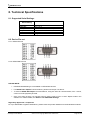
8. Technical Specifications .............................................................................................................................. 32
8.1. Supported Serial Settings ..................................................................................................................... 32
8.2. Device Pin-out....................................................................................................................................... 32
8.3. Company Accreditation ......................................................................................................................... 33
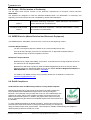
8.4. Europe – EU Declaration of Conformity................................................................................................ 34
8.5. WEEE Directive (Waste Electrical and Electronic Equipment) ............................................................. 34
8.6. RoHS Compliance................................................................................................................................. 34
PX Range Product Manual
Version 2.0 © Copyright Brainboxes Limited 2010
Page 2 of 37