1
Playback Functions
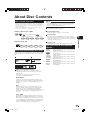
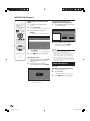
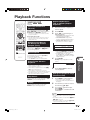
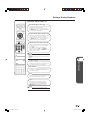
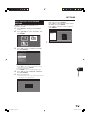
Switching the Angle
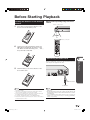
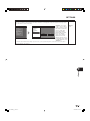
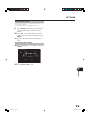
If multiple angles are recorded, you can switch
between them.
1
Press ANGLE during playback.
• The display indicates the angle number
currently being played back. Each time
you press ANGLE, the angle switches.
• “– –” is displayed if a disc is recorded
with only one angle.
VID.
1
––
To return to the previous angle, press ANGLE
to cycle through the angles until you return to
the original angle.
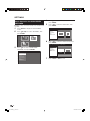
Displaying the Angle Mark
Disc Playback
Display of functions
• The display for subtitles, angle or audio
automatically disappears after 5 seconds.
Switching between functions
• You can switch the subtitles, angle and audio at the
Function Control screen. (Page 32)
• The operation for each function varies depending
on the disc. See the manual for the disc.
Fast Forward/Reverse
• You cannot perform Fast Forward/Fast Reverse
between titles. At the end or beginning of the title,
Fast Forward/Fast Reverse will be cancelled and
normal playback will automatically resume.
• Subtitles are not played back with BD/DVD video
discs during Fast Forward and Fast Reverse.
• Depending on the disc and the scene being played
back, the Player may not operate at the speed
listed in this manual when performing Fast Forward.
Slow Playback
• You cannot perform Slow Playback between
titles. At the end of the title, Slow Playback will be
cancelled and normal playback will automatically
resume.
Repeat Playback
• Repeat Playback may be forbidden depending on
the disc.
• Partial Repeat Playback may not work in multiangle scenes.
• For Partial Repeat Playback, set the start and end
points within the same title.
p
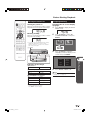
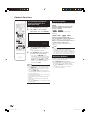
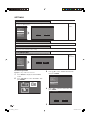
You can change settings so that Angle
Mark appears in the right bottom part of the
screen when multiple angles are recorded.
The settings can be changed in “SETTINGS”
- “PLAYBACK SETTING” - “ANGLE MARK
DISPLAY”. (Page 43)
NOTE
• Settings for audio, subtitles and angle can be
changed also in Function Control Screen. (Page
32)
• The operations of subtitles, angle and audio differ
according to each disc. You may need to refer to
the operation manual of the disc.
• The following operations will not work when
playing back an audio CD:
Slow Playback, Frame Advance
31
BD-HP20S_en_c.indd 31
2007/09/12 14:58:30