1
DECT511_GBIE_part1_indice2_internet.qxd
26/10/2004
14:00
Page 1
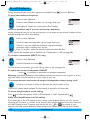
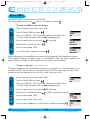
Quick start guide
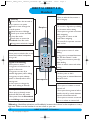
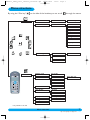
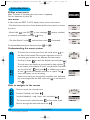
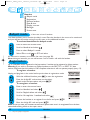
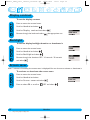
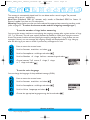
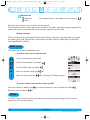
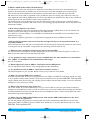
The pilot key allows you to browse the menus. Up
right in the menus & options.
Press
to go left in the menus and down
to go
to select a menu or an option and validate a setting. It is also used as shortcut to menus
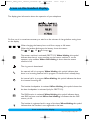
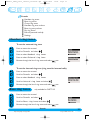
Answer/end a call
Make a call
Predial number &
or
and dial number
Read Call log
up and browse
Redial a number
up and browse
and
Call from phonebook
down, browse
through the list and
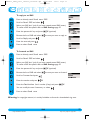
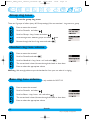
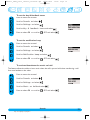
Add a name in the phonebook
Predial number and select
and select
scroll to
, enter the name and press
Store
OK
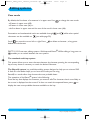
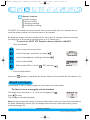
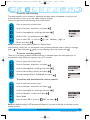
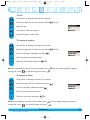
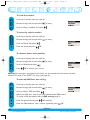
Adjust the earpiece volume during a call
Scroll up
to increase the volume, scroll down
to decrease the volume
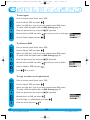
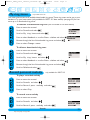
Adjust the handset loudspeaker volume
During a handsfree call, up
decrease
Mute and unmute the microphone
During a call press
press
Transfer a call/Intercom (if there are
at least 2 handsets)
Press
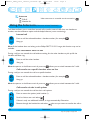
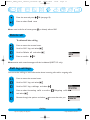
Read an event
Press
Press
press
View
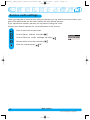
to enter the carousel, scroll to
, scroll to
Handset
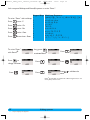
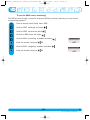
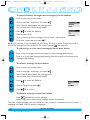
Date and time and select
to select Set date and enter the current date,
OK. Scroll to Set time and enter the current time,
OK
Press
and select.
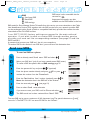
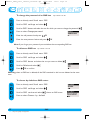
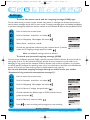
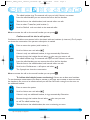
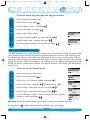
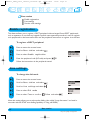
Set the handset external ring tone
Mute
+ number phone
and select.
press
Options, press
to
End mute
Press
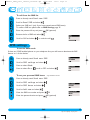
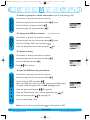
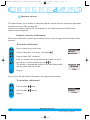
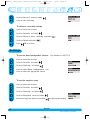
Set the date and time
to increase, down
to enter the carousel, scroll to
, press to select
Press to select
Sounds
Handset ring tones.
External ring tone
Browse through the list to hear the ring tones and select
your ring tone
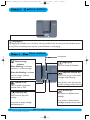
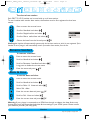
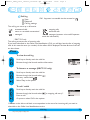
Activate/deactivate the answer machine
Press
on the base station to switch the answer
machine ON or OFF
Quick start guide
1
http://www.philips.com/faqs/dect