1
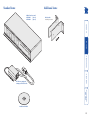
Contents Locations.......................................................................................7 Cabling recommendations...........................................................7 Tamper-evident seals...................................................................7 Links overview..............................................................................7 Mounting......................................................................................8 Making connections.....................................................................9 Connections to computer systems ........................................9 Connections to user console peripherals..............................11 Video display (EDID) information.........................................13 Connection to power supply.................................................14 Troubleshooting.........................................................................16 Summary of threats and solutions.............................................16 Getting assistance.......................................................................18 Warranty.....................................................................................19 Safety information.....................................................................19 Radio Frequency Energy............................................................20 Further information Installation Selecting computers...................................................................15 Error indicator............................................................................15 Tamper-evident seals.................................................................15 Introduction..................................................................................3 AdderView Secure - features.......................................................4 Devices used with the AdderView Secure...................................5 Keyboard devices.....................................................................5 Mouse devices..........................................................................5 Standard items..............................................................................6 Additional items...........................................................................6 Operation Welcome IMPORTANT: Before using this product......................................2 1