1
Ultimate PVR with HD Digital Jukebox
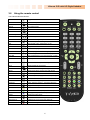
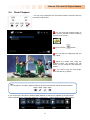
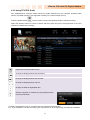
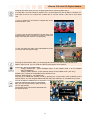
FF/REW Button
Pressing FF button while you are playing files,
you can change the FF mode.
2XÆ4XÆ 8X Æ16X Æ 32X.
Up/Down Button : 15 seconds skip or 15
seconds backward.
(Down button) : Back 15 seconds.
(Up button) : Skip 15 seconds.
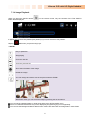
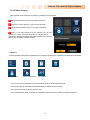
is used to delete the file or folder from the TViX Local hard disk.
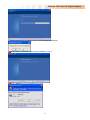
When you do delete files or folders, you must run the HDD check disk periodically.
During playback You can set sleep time by pressing function key repeatedly on a remote controller.
SLEEP ON will blink for 3 minutes before turning off. (require updating to the latest firmware)
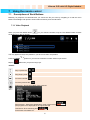
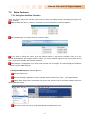
In these menus, you can adjust the Contrast, Brightness, Hue and Saturation by pressing the
left/right arrow buttons on the remote.
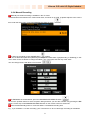
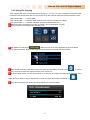
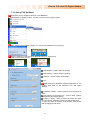
If you stop the movie, the stop position will be
automatically saved and you can resume it later
anytime by pressing the "bookmark" button on the
remote controller.
- save up to eight bookmarks on eight individual
files. (It cannot save eight bookmarks on a single
file.)
- Bookmarking works for AVI, MPG, VOB, CAT,
M2P video files only.
- A video file where the folder is setup with a
password cannot be saved.
- When replaying the same file, only the last play
position will be saved (thus, bookmarked).
- A file deleted from the hard disk will be
automatically deleted from the bookmark list as well.
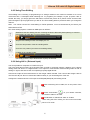
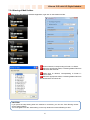
Pressing AUDIO button while you are playing multi audio files, you can change to alternate audio
tracks.
Select the subtitle file manually. (require updating to the latest firmware)
Adjust the play mode to repeat Track, repeat All or repeat off.
38