1
4.
5.
6.
Press the SNOOZE key again to enter the weekday setting (flashing).
Use the MODE/MIN key to set the weekday.
Press the SNOOZE key once more to confirm all settings and to exit or do not touch any buttons for
around 8 seconds. The mode will return to normal.
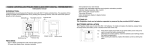
TIME ZONE SETTING:
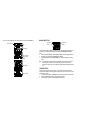
Time zone “0”=
Central Europe
Time zone
To change to a different time zone (±9 hours):
1.
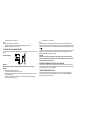
In normal mode display, press and hold down the MODE/MIN key to enter the time setting mode.
2.
Use the MODE/MIN key again to select the desired time zone. Each press changes the digits by 1 hour.
3.
When the desired time zone is selected, press the SNOOZE key to confirm and exit or wait for about 8
seconds for automatic return to the normal mode display.
Please help in the preservation of the environment. Return used batteries to an authorised
depot.
SPECIFICATIONS:
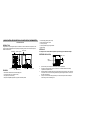
Recommended operating temperatures
Power source
Batteries
Battery life
(Alkaline battery recommended)
Or
AC power
Projection distance
Dimensions (L x W x H)
•
BACK-LIGHT:
•
BATTERY CHANGE:
It is recommended to replace the batteries in the unit on an annual basis.
0°C to +49°C with 0.1ºC resolution
2 x AA, IEC LR6, 1.5V
Approximately 12 months
:
:
:
INPUT 230VAC 50HZ (use the provided AC/DC adapter only)
max. 2 meters
123 x 42 x 91mm
MAINTENANCE:
Note: If the time zone is changed to another time zone other than “0”, the calendar will not be displayed.
The LED back-light is automatically switched ON when any keys are pressed. The back-light will be switched on
for approximately 2 seconds before automatically switching OFF. However, if any of the keys are pressed and
held down, then LED back-light will remain ON constantly unit the key is released.
:
:
:
:
•
•
•
Avoid placing the alarm clock in areas prone to vibration and shock as this may damage and inaccurate
readings.
Avoid exposure to sudden changes in temperature such as direct sunlight, extreme cold and wet or moist
conditions.
When cleaning the display and casing, only use a soft damp cloth.
Do not use solvents or souring agents as they may mark the LCD and casing.
Do not submerge the alarm clock in water.
Do not attempt to make any repairs to the alarm clock. Return it to its original point of purchase for repair
by a qualified engineer. Opening and tampering with the unit may invalidate its guarantee.