1
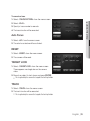
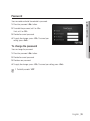
Password ● You can enable or disable the controller’s password. menu setting 1. Press the password <Set> button. 2. To enable the password, set it to <On>. If not, set it to <Off>. . Provide the current password. . To apply the changes, press <OK>; To cancel your setting, press <Exit>. To change the password You can change the password. 1. Press the password <Set> button. 2. Provide the current password. . Provide a new password. . To apply the changes, press <OK>; To cancel your setting, press <Exit>. M The default password is “4321”. English _39