1
21:45:48
1
2
Important
4
Your car audio system
5
5
Introduction
3
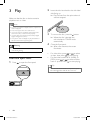
Play
Load and eject discs
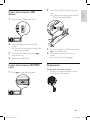
Insert and remove USB device
Insert and remove SD/MMC card
Skip/search
Intro play
Repeat play
Random play
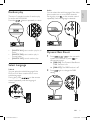
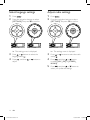
Select Language
Dynamic Bass Boost
MAX sound
Zoom
4
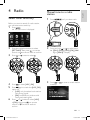
Radio
Select tuner sensitivity
Manual tune to a radio station
Auto tune to a radio station
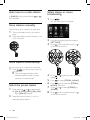
Store stations manually
Store stations automatically
Select the preset station
Select stereo or mono broadcasting
5
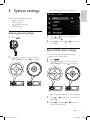
System settings
Adjust general settings
Select DVD video settings
Select language settings
Adjust radio settings
6
7
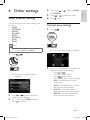
Other settings
Select equalizer settings
Control zone settings
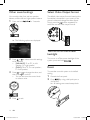
Other sound settings
Select Video Output format
Turn on or off the screen backlight
Reset
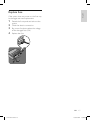
Replace fuse
6
6
7
7
7
8
8
9
9
9
10
10
General
Disc player
Tuner
LCD
Compatible USB devices
Supported formats
Unsupported formats
Product information
18
18
18
18
18
18
18
19
8
Troubleshooting
20
9
Notice
21
11
11
11
12
12
12
12
12
13
13
13
14
14
15
15
15
16
16
16
16
17
EN
ce229
ce229 um
um 55.indd
55.indd 33
English
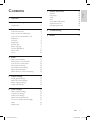
Contents
3
24/05/2011
25/05/2011 21:45:49
17:59:54