1
1 Important
Safety
Notice
2 Your in-car entertainment system
Introduction
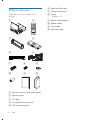
What's in the box
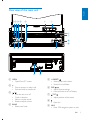
Overview of the main unit
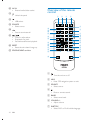
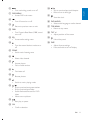
Overview of the remote control
3 Get started
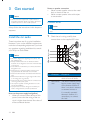
Install the car audio
Mount into the dashboard
Attach the front panel
Install remote control battery
Turn on
Set date and time
4 Play audio/video/picture
Load discs
Connect USB device
Insert SD/MMC card
Play/Pause
Browse
Skip to a chapter/title/time
Select audio track
Select subtitle language
Change view angle
Repeat one/all chapter
Random play
Select audio mode
View photo
5 Listen to radio
Tune to a radio station
Store radio stations in memory
Tune to a preset station
6 Use navigation system
Insert map card
Use map
5
5
5
7
7
8
9
10
12
12
15
16
16
17
17
18
18
19
19
20
20
20
21
21
21
21
22
22
22
23
23
23
24
24
24
24
7 Play with Bluetooth device
Adjust microphone position
Pair the Bluetooth-enabled devices
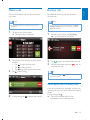
Make a call
Receive call
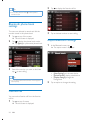
Bluetooth phone book settings
Favorite call
Adjust Bluetooth settings
Listen to music from Bluetooth device
8 Play iPod
25
25
25
27
27
28
28
28
29
29
29
30
30
30
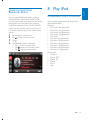
Compatible iPod/iPhone/iPad
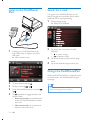
Listen to the iPod/iPhone/iPad
Search for a track
Charge the iPod/iPhone/iPad
9 Adjust sound
31
31
31
31
31
32
32
32
32
Adjust volume
Mute
Select preset equalizer
Adjust fader/balance/subwoofer
Switch music listening zone
Turn FullSound on/off
Turn MAX sound on/off
Turn DBB on/off
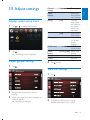
10 Adjust settings
33
33
33
33
34
34
Display system setup menu
Adjust general settings
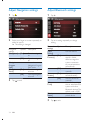
View Info settings
Adjust Navigation settings
Adjust Bluetooth settings
11 Others
35
35
35
35
35
36
36
37
Adjust brightness
Set rear view camera
Adjust display design
Listen to other devices
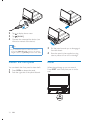
Detach the front panel
Reset
Replace fuse
EN
3
E n g lis h
Contents