1
shooting list
Press MODE four times for INTRO playback, in which
the tracks will be played several seconds in sequence
as a introduction.
Problem
( RANDOM playback in MP3 Mode)
System
malfunction
Make sure it’s in stop mode.
PROGRAM flashes on LCD.
,
PROGRAM
P
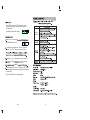
[ In MP3 Mode, press and hold +10 button to select the
desired folder .The ‘F’ on screen is short for Folder. ]
,
Repeat step 2 , you can program as many as 20 tracks.
PLAY/USB
playback.
playback,
To exit program mode, press STOP again, the PROGRAM
indicator disappears and the programed files are erased at
the same time.
7. Press PLAY/USB button for normal playback.
trouble