1
Media and tray
7
8
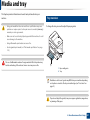
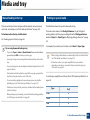
Using the output support
The surface of the output tray may become hot if you print a large number
of pages at once. Make sure that you do not touch the surface, and do not
allow children near it.
Preparing originals
•
Do not load paper smaller than 142 x 148 mm (5.6 x 5.8 inches) or larger than
216 x 356 mm (8.5 x 14 inches).
•
Do not attempt to load the following s of paper, in order to prevent paper
jam, low print quality and machine damage.
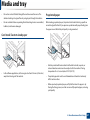
The printed pages stack on the output support, and the output support will help
the printed pages to align. The printer sends output to the output tray by
default.
-
Carbon-paper or carbon-backed paper
-
Coated paper
-
Onion skin or thin paper
-
Wrinkled or creased paper
-
Curled or rolled paper
-
Torn paper
•
Remove all staples and paper clips before loading.
•
Make sure any glue, ink, or correction fluid on the paper is completely dry
before loading.
•
Do not load originals that include different sizes or weights of paper.
•
Do not load booklets, pamphlets, transparencies, or documents with other
unusual characteristics.
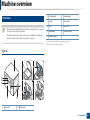
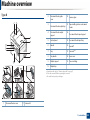
Illustrations on this user’s guide may differ from your machine depending
on its options or models. Check your machine type (see "Front view" on
page 21).
2. Menu Overview and Basic Setup
49