1
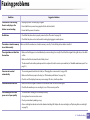
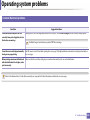
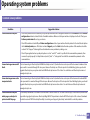
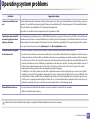
Faxing problems
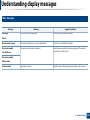
Condition
Suggested solutions
Some of the words on an
incoming fax are stretched.
The fax machine sending the fax had a temporary document jam.
There are lines on the originals
you sent.
Check your scan unit for marks and clean it (see "Cleaning the scan unit" on page 82).
The machine dials a number,
but the connection with the
other fax machine fails.
The other fax machine may be turned off, out of paper, or cannot answer incoming calls. Speak with the other machine operator and
ask them to solve the problem on their side.
Faxes do not store in memory.
There may not be enough memory space to store the fax. If the display indicating the memory status shows, delete any faxes you no
longer need from the memory, and then try to store the fax again. Call for service.
Blank areas appear at the
bottom of each page or on
other pages, with a small strip
of text at the top.
You may have chosen the wrong paper settings in the user option setting. Check the paper size and type again.
6. Troubleshooting
238