1
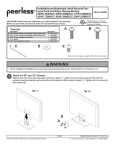
Assemble and attach VCR Mount to TV Mount as shown. Leave screws (E) and lock nut slightly loose to allow for
adjustment. *Note: Bolt, nut, washer, and spring plate will be reused from TV mount installation.
Attach adhesive foam (G) to inside
vertical edges of lower brackets (B).
*
A
H
A
B
G
B
A
G
*
G
B
E
Adjust VCR Mount to slightly larger than VCR
and insert VCR. Position VCR so front is flush
with front of TV support tray (part of TV Mount).
To avoid scratches, leave some clearance
between top of VCR and VCR Mount. Compress
sides of VCR Mount to "grip" sides of VCR.
E
2 of 4
Visit the Peerless Web Site at www.peerlessmounts.com
© 2006 Peerless Industries, Inc. All rights reserved.
Peerless is a registered trademark of Peerless Industries, Inc.
All other brand and product names are trademarks or registered trademarks of their respective owners.
Tighten four screws (E) and lock nut. For best
results have an assistant compress sides of
VCR mount against sides of VCR while you
tighten lock nut.
ISSUED: 05-05-00 SHEET #: 081-9021-4 09-21-06
For customer care call 1-800-729-0307 or 708-865-8870.