1
2.
3.
4.
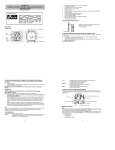
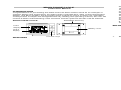
Checking the correct polarization, insert 2 x AA IEC LR6, 1.5V batteries into the
battery compartment and replace the battery cover.
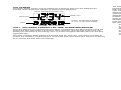
Once the batteries are in place while beep sounds shortly, all segments of the LCD
will light up briefly. Then the indoor temperature, the time as 0:00, the date as 1/1,
weekday as MON and the Moon phase will be displayed.
The DCF-77 time code reception will automatically start. This takes typically between
3 - 5 minutes in good conditions. If after 10 minutes the DCF time has not been
received, the clock will automatically attempt to receive the DCF time at the next full
hour. When this is successful, the received time will be displayed. The date and
Moon phase will also be updated with the received time (Please refer also to notes
on “Radio controlled time”)
BATTERIES CHANGE
For best performance, batteries should be replaced at least once and a year to maintain
the best running accuracy. Ensure that the batteries used are new of the correct size.
Note:
Always wait for 2 minutes after removing the batteries before reinserting, otherwise start up
and transmission problems may occur.
Please help in the preservation of the environment and return used
batteries to an authorized depot.
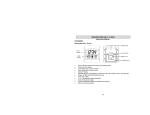
FUNCTION KEYS
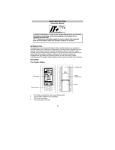
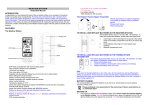
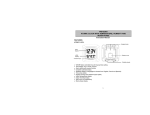
The Moon Phase Clock has four easy to use keys:
SET key:
To enter the manual setting modes if press for about 1 second
To activate the E.L. back light for about 4 seconds
To stop the alarm
+ key:
To change the values in all setting modes
To alternate between indoor temperature and seconds display
To switch ON the E.L. back light for about 4 seconds
To stop the alarm
ALARM key:
To enter the alarm setting mode if press for about 1 seconds
To activate the E.L. back light for about 4 seconds
To set the alarm ON/OFF
To stop the alarm
SNOOZE/LIGHT key: To activate the snooze function during alarm
To switch OFF the alarm for the next 24 hours if pressed for about
1 second during alarm function or snooze
To display the alarm time and to activate the E.L. back light for 4
seconds
To stop the alarm
To exit any setting modes