1
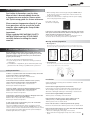
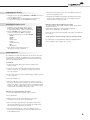
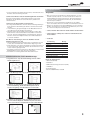
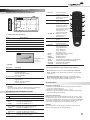
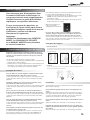
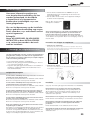
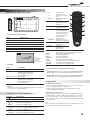
2 Package contents Do not place monitors on unstable shelves or surfaces. They could collapse and cause damage. Only install the unit on vertical, stable and level surfaces. Don't place objects on the touch monitor. If the touch monitor is covered or the vents are blocked, the monitor could overheat and cause a fire. If metal or liquid gets into the monitor, it may cause a fire or an electric shock. Do not place heavy objects on the monitor as they may fall causing injury. Please keep a minimum distance of 10 cm between the monitor and the other objects for sufficient ventilation. Don't move the touch monitor when it is connected to the power cord and AV cables. When moving the monitor, make sure you remove the plug and cables from the socket or source. When unpacking or carrying the monitor, at least 2 people are needed. Make sure the monitor is carried upright. Transport the monitor upright. Avoid placing the monitor face up or face down. Handle the monitor gently. Do not drop. Wall mounting safety notes 1. Please make sure the bracket is fixed to a solid wall. Unpacking The e-Screen is packed in a cardboard box and may be banded to 2 types of custom pallet depending on the number of units shipped. The e-Screen is packed using cushions to protect the monitor during shipping. Before unpacking your monitor, prepare a stable, level, and clean surface near a wall socket. Set the LCD Monitor box in an upright position and open from the top of the box before removing the top cushions. Step 1: Remove the white handle and cut the banding. Step 2: Remove the top cushion and take the accessories bag out. Packing list Item Q’ty 1 e-Screen 1 2 Carton 1 3 Bottom cushion 1 4 Top cushion 1 5 Packing bag 1 6 Accessories bag 1 7 Ergonomic stylus 1 set 8 Carton lock 6 Contents of the Accessories Bag - VGA Cable (D-sub) - Power cord black - OSD Remote control (2 batteries (AAA) included) 2. After assembling, please don't pull or shake violently. - USB cable - IR-Extender - CD-Disk Ethernet VCOM driver 3. Please don't install the bracket in direct sunslight or areas of humidity / high temperature for fear that the quality is affected. 4. Install the bracket at a minimum distance of 10 cm from other objects / walls on either side. Only attach to vertical walls. 3