1
Contents
2
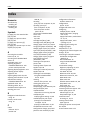
Contents
Safety information.......................................................................................6
Overview.....................................................................................................8
Using this guide.........................................................................................................................................8
Finding information about the printer......................................................................................................8
Selecting a location for the printer.............................................................10
Additional printer setup.............................................................................12
Installing internal options........................................................................................................................12
Available internal options .................................................................................................................................12
Accessing the controller board .........................................................................................................................12
Installing an optional card ................................................................................................................................13
Installing a memory card ..................................................................................................................................14
Installing an Internal Solutions Port..................................................................................................................16
Installing a printer hard disk .............................................................................................................................22
Removing a printer hard disk............................................................................................................................25
Installing hardware options.....................................................................................................................26
Installing optional trays ....................................................................................................................................26
Setting up the printer software...............................................................................................................28
Installing the printer software ..........................................................................................................................28
Updating available options in the printer driver ..............................................................................................28
Networking..............................................................................................................................................29
Preparing to set up the printer on an Ethernet network..................................................................................29
Installing the printer on an Ethernet network ..................................................................................................30
Preparing to set up the printer on a wireless network.....................................................................................31
Connecting the printer using the Wireless Setup Wizard.................................................................................32
Connecting the printer to a wireless network using the Wi‑Fi Protected Setup ..............................................32
Connecting the printer to a wireless network using the Embedded Web Server.............................................33
Verifying printer setup......................................................................................................................................34
Using MS510dn and MS610dn....................................................................35
Learning about the printer......................................................................................................................35
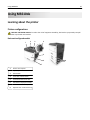
Printer configurations .......................................................................................................................................35
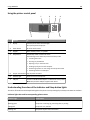
Using the printer control panel.........................................................................................................................36
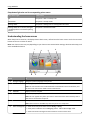
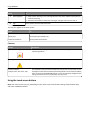
Understanding the colors of the indicator and Sleep button lights..................................................................37
Attaching cables................................................................................................................................................38
Accessing the controller board .........................................................................................................................39
Loading paper and specialty media.........................................................................................................40