1
nabi™ Cloud Preferences
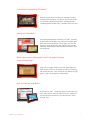
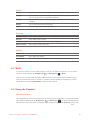
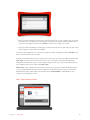
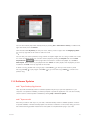
You can change the preferences for nabi™ Cloud by clicking Advanced > nabi™ Cloud Preferences.
Here, you can unlink your computer from nabi™ Cloud, limit the rate at which your content downloads
from the cloud, select folders to sync and clear any prior accounts.
12.2 nabi™ Cloud Settings
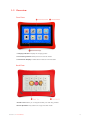
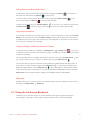
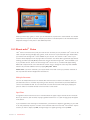
You can access your nabi™ Cloud settings in Mommy/Daddy Mode on nabi. Tap the nabi™ Cloud Icon
to open it. Tap nabi™ Cloud Settings
to access your account settings.
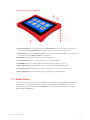
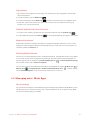
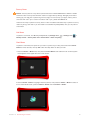
Here, you can edit the local storage on nabi. The local storage limits the amount of space available for
offline files from the cloud. The default setting is 100MB. To change the amount of local storage space
on your nabi, tap the dropdown menu and select the amount of space you would like to make available.
Save
Save
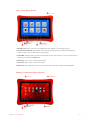
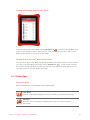
You can also add a password to nabi™ Cloud. To password-protect nabi™ Cloud, tap nabi™ Cloud Icon
> nabi™ Cloud Settings
and slide the switch next to Passcode Unlock to On. Choose and
enter a four-digit number for your password. There is an option to erase your nabi™ Cloud data from
nabi after 10 failed password attempts. Slide the switch to On or Off next to Erase Data to enable or
disable erasing all of your data.
Save
Save
Please note: If you forget your four-digit pin, you will have to perform a factory reset. This will restore
nabi and wipe all of its data. For steps on how to perform a factory reset, please see Section 14.8.
Adding Storage
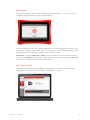
nabi™ users receive 2GB of free nabi™ Cloud Storage. You can purchase additional storage through the
nabi™ Cloud app on nabi. To purchase additional cloud storage, in Mommy/Daddy Mode, tap nabi™
Cloud Settings
> Buy more storage.
Save
Section 12 nabi Cloud
™
72