1
Reading and Resetting of Sales
All the data on all of your registrations as well as other transaction information will remain in the
memory of your cash register as long as your cash register has power (Be sure you have live
batteries installed in case of a power failure). This information can be printed in the form of a report
which can be helpful to you in running your business.
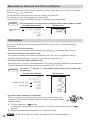
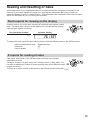
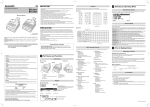
Flash reports for viewing on the display
Use this function for on-the-spot checking of individual cash register’s sales
data. The sales total is shown on the display but is not printed nor cleared
from the cash register’s memory.
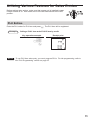
Key operation example
Operator display
u
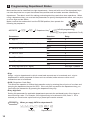
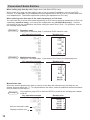
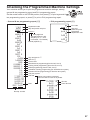
To display the flash report for each individual item, press the following keys in the X/Flash mode:
Individual department sales
Sales total
Cash in drawer
Department key
u
c
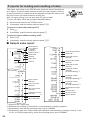
X reports for reading of sales
This report, when taken in the X/Flash mode, prints the accumulated
information of sales.
Taking an X report is a good way to do a mid-day check on daily sales. You
can take X reports any number of times, because they do not affect the cash
register’s memory.
To issue an X report, set the mode switch to the X/Flash position and press A.
19