1
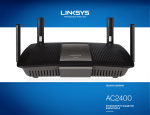
Linksys E-Series
Table of Contents
Table of Contents
Product overview
Wireless Security
E900/E1200/E1500/E2500/E3200 . . . . . . . . . . . . . . . . . . . . 1
Back view
Bottom view
1
1
E4200 . . . . . . . . . . . . . . . . . . . . . . . . . . . . . . . . . . . . . 2
Top view
Back view
2
2
Wireless > Wireless Security . . . . . . . . . . . . . . . . . . . . . . . 8
Personal options
Office options
Option settings
8
8
8
Troubleshooting
How to manually set up your router . . . . . . . . . . . . . . . . . . 3
How to run Linksys Connect after setup . . . . . . . . . . . . . . .
Your router was not successfully set up . . . . . . . . . . . . . . .
Get Windows XP Service Pack 3 message . . . . . . . . . . . . . . .
Your Internet cable is not plugged in message . . . . . . . . . . . .
Cannot access your router message . . . . . . . . . . . . . . . . . .
Device not found message . . . . . . . . . . . . . . . . . . . . . . . .
Advanced Configuration
Specifications
How to open the browser-based utility . . . . . . . . . . . . . . . . 4
Setup > Basic Setup . . . . . . . . . . . . . . . . . . . . . . . . . . . . 5
Linksys E900 . .
Linksys E1200 .
Linksys E1500 .
Linksys E2500 .
Linksys E3200 .
Linksys E4200 .
Setting Up Your E-Series Router
Where to find more help . . . . . . . . . . . . . . . . . . . . . . . . . 3
How to set up your router . . . . . . . . . . . . . . . . . . . . . . . . . 3
How to start Linksys Connect
Use Linksys Connect to manage your router
3
3
Language5
Internet Setup
5
Wireless > Basic Wireless Settings . . . . . . . . . . . . . . . . . . . . 6
Wireless Settings
6
.
.
.
.
.
.
.
.
.
.
.
.
.
.
.
.
.
.
.
.
.
.
.
.
.
.
.
.
.
.
.
.
.
.
.
.
.
.
.
.
.
.
.
.
.
.
.
.
.
.
.
.
.
.
.
.
.
.
.
.
.
.
.
.
.
.
.
.
.
.
.
.
.
.
.
.
.
.
.
.
.
.
.
.
.
.
.
.
.
.
.
.
.
.
.
.
.
.
.
.
.
.
.
.
.
.
.
.
.
.
.
.
.
.
.
.
.
.
.
.
.
.
.
.
.
.
.
.
.
.
.
.
.
.
.
.
.
.
.
.
.
.
.
.
.
.
.
.
.
.
.
.
.
.
.
.
.
.
.
.
.
.
.
.
.
.
.
.
.
.
.
.
.
.
.
.
.
.
.
.
11
12
12
13
14
15
17
18
19
20
21
22
i