1
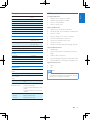
Contents
1Safety
2 Your car entertainment system
Introduction
What's in the box
3 Install the car entertainment system
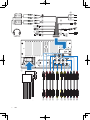
Connect wires
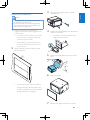
Mount into the dashboard
4 Get started
Prepare the remote control
Turn on
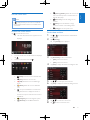
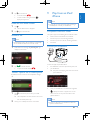
Use the home menu
Set the date and time
5 Play from hard media
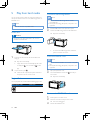
Load a disc
Connect a USB storage device
Insert an SD/SDHC card
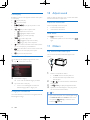
Control play
Browse recorded files
6 Listen to radio
Switch to radio mode
Set up
Tune to a radio station
Store radio stations in memory
Tune to a preset radio station
7 Use the navigation system
Insert the map data card
Navigate your road trip
8 Use Bluetooth devices
Activate the Bluetooth function
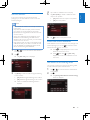
Pair a device
Play audio from a connected device
Make a call
2
2
2
3
9 Play from an iPod/iPhone
Connect your iPod/iPhone
Control play
Charge your iPod/iPhone
3
3
7
10 Adjust sound
8
8
8
9
9
11Others
10
10
10
10
11
12
12
12
12
13
13
13
17
17
17
18
18
Compatible iPod/iPhone models
18
18
18
Adjust the volume level
Mute sound
18
18
19
19
20
20
Play external audio/video input
Use rear monitors
Use buttons on the steering wheel
Set the rear view camera
Reset the system
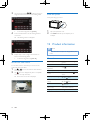
12 Product information
20
13Troubleshooting
22
22
22
General
About the Bluetooth device
14Notice
23
23
23
23
24
Compliance
Care of the environment
Trademark notice
Copyright
14
14
14
14
14
14
16
16
EN
1
English
Contents