1
Table Of Contents
1. Unpacking and Installation.............................................................................................................1
1.1.Unpacking.................................................................................................................................1
1.2. Package Contents.....................................................................................................................1
1.3. Installation Notes.......................................................................................................................1
1.4. Installing and Removing Table Stands (optional)......................................................................2
1.5. Installing and Removing OPS module (CP4235/CDP4635/CDX5550-L series) (optional).......3
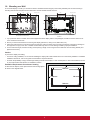
1.6. Mounting on a Wall....................................................................................................................4
2. Parts and Functions........................................................................................................................5
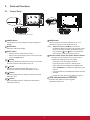
2.1. Control Panel............................................................................................................................5
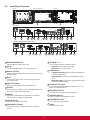
2.2. Input/Output Terminals..............................................................................................................6
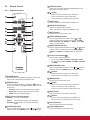
2.3. Remote Control.........................................................................................................................7
2.3.1.General functions............................................................................................................7
2.3.2.Inserting the batteries in the remote control....................................................................8
2.3.3.Handling the remote control............................................................................................8
2.3.4.Operating range of the remote control............................................................................8
3. Connecting External Equipment....................................................................................................9
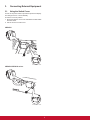
3.1. Using the Switch Cover.............................................................................................................9
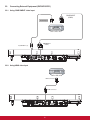
3.2. Connecting External Equipment (DVD/VCR/VCD)...................................................................9
3.2.1.Using COMPONENT video input..................................................................................10
3.2.2.Using HDMI video input................................................................................................10
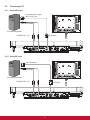
3.3. Connecting a PC..................................................................................................................... 11
3.3.1.Using VGA input............................................................................................................ 11
3.3.2.Using DVI input.............................................................................................................11
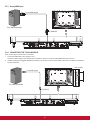
3.3.3.Using HDMI input..........................................................................................................12
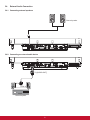
3.4. External Audio Connection......................................................................................................13
3.4.1.Connecting external speakers......................................................................................13
3.4.2.Connecting an external audio device............................................................................13
3.5. Connecting Multiple Displays in a Daisy-chain Configuration.................................................14
3.5.1.Video connection..........................................................................................................14
3.5.2.Audio connection..........................................................................................................14
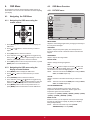
4. OSD Menu.......................................................................................................................................15
4.1. Navigating the OSD Menu.....................................................................................................15
4.1.1.Navigating the OSD menu using the remote control.....................................................15
4.1.2.Navigating the OSD menu using the display’s control buttons.....................................15
4.2. OSD Menu Overview..............................................................................................................15
4.2.1.PICTURE menu............................................................................................................15
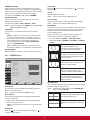
4.2.2.SCREEN menu.............................................................................................................16
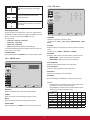
4.2.3.AUDIO menu.................................................................................................................17
v