1
Table of Contents
Chapter 1
Introduction ...............................................................................................1-1
Overview .............................................................................................................................. 1-2
Package Checklist................................................................................................................. 1-2
Product Features ................................................................................................................... 1-3
Chapter 2
Getting Started ..........................................................................................2-1
Connecting Power ................................................................................................................ 2-2
Connecting Serial Devices.................................................................................................... 2-2
Connecting to a Host or the Network ................................................................................... 2-2
Installing the Software.......................................................................................................... 2-3
Mounting the Unit ................................................................................................................ 2-3
Chapter 3
Hardware: EIP3170, EIP3170I ...................................................................3-1
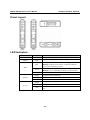
Panel Layout......................................................................................................................... 3-2
LED Indicators ..................................................................................................................... 3-2
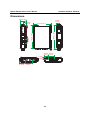
Dimensions........................................................................................................................... 3-3
Jumpers................................................................................................................................. 3-4
Pin Assignments ................................................................................................................... 3-5
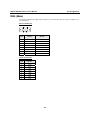
DB9 (Male)................................................................................................................... 3-5
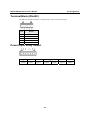
Terminal Block (RS-422) ............................................................................................. 3-5
Power Input, Relay Output ........................................................................................... 3-6
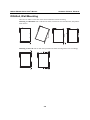
DIN-Rail, Wall Mounting ..................................................................................................... 3-6
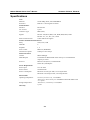
Specifications ....................................................................................................................... 3-7
Chapter 4
Hardware: EIP3270, EIP3270I ...................................................................4-1
Panel Layout......................................................................................................................... 4-2
LED Indicators ..................................................................................................................... 4-2
Dimensions........................................................................................................................... 4-3
Jumpers................................................................................................................................. 4-4
Pin Assignments ................................................................................................................... 4-5
DB9 (Male)................................................................................................................... 4-5
Power Input, Relay Output ........................................................................................... 4-5
DIN-Rail, Wall Mounting ..................................................................................................... 4-6
Specifications ....................................................................................................................... 4-7
Chapter 5
Configuring the EtherNet/IP Gateway .....................................................5-1
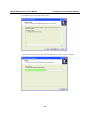
Installing the Software.......................................................................................................... 5-2
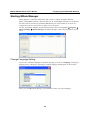
Starting MGate Manager ...................................................................................................... 5-6
Change Language Setting ............................................................................................. 5-6
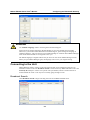
Connecting to the Unit.......................................................................................................... 5-7
Broadcast Search .......................................................................................................... 5-7
Specify by IP Address .................................................................................................. 5-8
Modifying the Configuration................................................................................................ 5-9
Configure IP Address and Other Network Settings .................................................... 5-10
Configure Serial Communication Parameters ............................................................ 5-12
Set up Routing and ProCOM function........................................................................ 5-13
Set up Protocol............................................................................................................ 5-15
Set Up Miscellaneous ................................................................................................. 5-16
Verifying Location of Unit ................................................................................................. 5-17