1
Table of contents
Important safety
instructions ................... 3
Introduction.................. 7
Projector features.....................................7
Shipping contents ......................................8
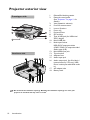
Projector exterior view.........................10
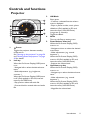
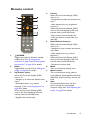
Controls and functions ..........................11
Positioning your
projector ..................... 18
Obtaining a preferred projected image
size..............................................................18
Connection ................. 20
Connecting the power...........................20
Connecting a computer.........................25
Connecting Video source devices.......27
Connecting an HDMI source device ..28
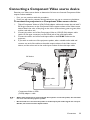
Connecting a Component Video source
device.........................................................29
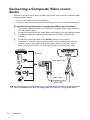
Connecting a Composite Video source
device.........................................................30
Connecting an iPhone/iPod device......31
Connecting an external speaker..........32
Connecting a wireless dongle ..............32
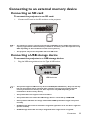
Connecting to an external memory
device.........................................................33
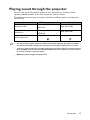
Playing sound through the projector..35
Operation ................... 36
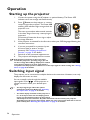
Starting up the projector ......................36
Switching input signal .............................36
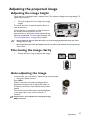
Adjusting the projected image .............37
Hiding the image......................................39
Securing the projector...........................39
Selecting the aspect ratio ......................41
2
Table of contents
Optimizing the image............................. 41
Operating in a high altitude
environment............................................. 44
Adjusting the sound ............................... 44
Firmware upgrade .................................. 46
Personalizing the projector menu
display........................................................ 46
Playing files with iPhone/iPod............... 47
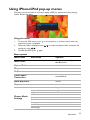
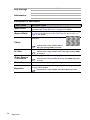
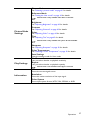
Using iPhone/iPod pop-up menus....... 55
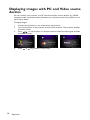
Displaying images with PC and Video
source devices......................................... 58
Using PC/ Video pop-up menus .......... 59
Displaying files with internal memory,
USB Drive and SD card......................... 62
Using USB Streaming ............................. 71
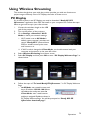
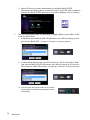
Using Wireless Streaming..................... 73
Settings menu .......................................... 82
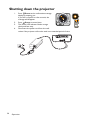
Shutting down the projector ............... 90
Maintenance ............... 91
Care of the projector............................ 91
Troubleshooting......... 93
Specifications.............. 94
Projector specifications......................... 94
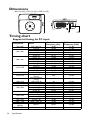
Dimensions .............................................. 96
Timing chart............................................. 96
Supported timing for HDMI input ...... 97
Warranty and Copyright
information................. 99