1
Index Product Introduction.....................................................................................................3
What’s in the package ...................................................................................................3
Quick Start Guide ..........................................................................................................3
Product Features ...........................................................................................................4
Supported Formats........................................................................................................4
System Requirements ...................................................................................................5
Getting to Know Your Air Drive.....................................................................................5
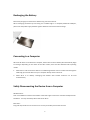
Recharging the Battery..................................................................................................8
Connecting to a Computer ............................................................................................8
Safely Disconnecting the Device from a Computer......................................................8
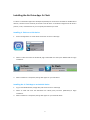
Installing the Air Drive App: S+ Flash ...........................................................................9
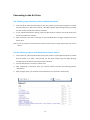
Connecting to the Air Drive ........................................................................................10
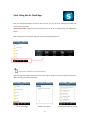
Start Using the S+ Flash App ....................................................................................... 11
Air Drive: View the Air Drive file list ...........................................................11
Image: Browsing pictures............................................................................14
Music: Browsing Music ................................................................................15
Video:Browsing Videos ............................................................................16
My Folder:Mobile Files Menu ..................................................................17
Settings.........................................................................................................18
2