1
PORTABLE RADIO
RT440
EN
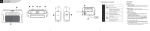
DESCRIPTION OF THE PRODUCT
4
14
15
5
6
7
1
16
12
13
3
2
PRESET
Headphone connector
2
OFF/
VOLUME
3
BAND
Telescopic FM aerial
5
Carry strap
6
7
PRESET
Frequency selector
Numerical keypad
9
LCD display
11
10
Automatic search and memorization of
stations (10 pre-set frequencies for each
band)
8
11
1
TUNING
10
9
Radio frequency selector FM/MW/SW/LW
4
8
PRESET
ON/OFF/Volume
Speaker
NEWS/
MUSIC
Tone switch
12
Mains power socket
13
Battery compartment
14
Indicator of memorization of the stations
15
Frequency band indicator
16
Frequency readout
USE
POWER SUPPLY
Mains power supply
• Plug the mains power cord into the socket (12) on the backside
of the unit.
• Then plug the power cord into a mains socket.
Battery power supply
• Remove the battery compartment cover (13).
• Insert 4 LR14 1.5V batteries, ensuring that the indicated polarity
is followed.
• Put the cover back in place.
USING THE RADIO
• Turn the OFF/VOLUME wheel clockwise to switch on the radio.
• Press BAND to select the frequency range.
• Select the desired radio station by turning the TUNING knob. The
frequency steps are of 0.05 MHz.
• Turn the TUNING wheel rapidly to set the closest radio station.
The search automatically stops once a transmitted radio station is
correctly identified.
• Adjust the volume by turning the OFF/VOLUME knob.
• Turn the OFF/VOLUME knob anti-clockwise to switch off the
radio.
To improve radio reception:
• In FM mode, extend the telescopic aerial (4). Adjust its position,
length and angle to get the best reception quality.
• In MW/SW/LW mode, turn the unit to orientate the internal aerial
and get the best possible reception.
MEMORY (up to 10 radio stations per frequency band)
Manual storage:
• Select a frequency by turning the TUNING knob then press and
hold a number from 1 to 10 on the keypad (8).
• Repeat the procedure to store up to 10 radio stations per
frequency band.
Automatic storage:
• Press PRESET. The frequency search will begin automatically
and up to 10 radio stations will be stored per frequency band.
ACCESSING THE STORED STATIONS
• Press a number from 1 to 10 on the keypad to switch from one
stored station to another.
Note: Press and hold to change the preset number of the station.