1
Chapter 4: Device Control
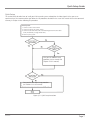
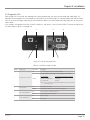
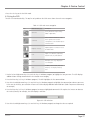
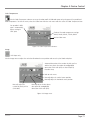
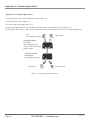
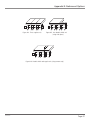
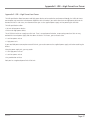
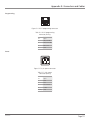
VGA video input to local unit
DVI video input to local unit
Return to main menu
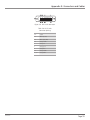
Figure 4-4. Input Select menu.
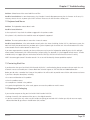
Scale
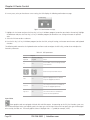
Use the Scale menu to specify whether the Extender system changes the resolution of the input video. You can set the
device for transparent transmission. In this case, the remote unit generates a screen resolution and refresh rate to match that of
the source. You can also specify that the output displays at a fixed screen resolution, regardless of that of the input signal. You
might want to use a fixed resolution if your monitor is not able to display the generated resolution or, for example, if you have a
server farm with many different CPUs each having a different screen resolution. With transparent transmission, it could take a
long time to regain a picture on the screen each time you switch to a different CPU.
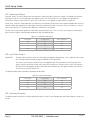
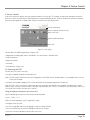
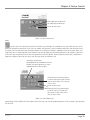
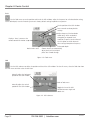
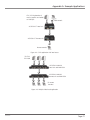
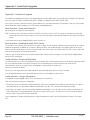
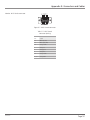
Transparent transmission:
No modification of resolution/refresh rate.
Remote unit always generates an exact
reproduction of the source signal.
Choice of three fixed transmissions
at refresh rate of 60 Hz (for LCD/flat
screens): 800 x 600, 1024 x 768, or
1280 x 1024.
Return to main menu.
Choice of three fixed transmissions
at refresh rate of 75 Hz (for CRT/
tube screens): 800 x 600, 1024 x
768, or 1280 x 1024.
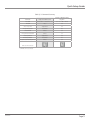
Figure 4-5. Scale Mode menu.
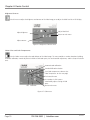
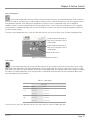
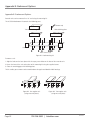
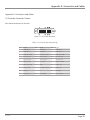
Downscaling is only available with VGA signals. With a DVI input, you can select downscaling but it will not work—only upscaling
has an effect.
ACS253A-CT
Page 29