1
"
"
"
"
"
"
"
"
"
"
"
"
"
"
"
"
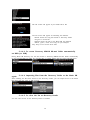
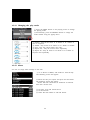
""""""
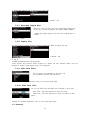
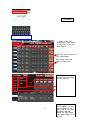
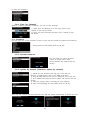
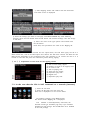
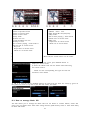
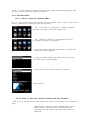
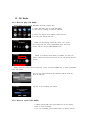
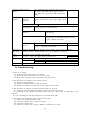
Title" of" current" music"
Title" of" previous" music"
Title" of" current" music"
Title" of" next" music"
Play" mode"
Alarm" set" icon"
Auto" shutdown" set" icon"
Sleep" set" icon"
#" of" music" playing" /" Total" music" #"
Total" time" of" current" music"
Play" icon"
Played" time" of" current" music"
Album" art" of" current" music"
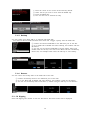
"
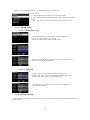
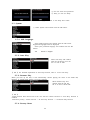
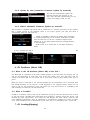
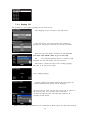
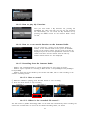
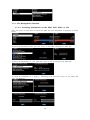
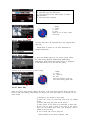
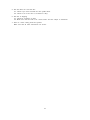
Title" of" current" music." Artist"
Album" Genre" Year"
File" format/Bit" rate/Frequency"
Play" mode"
#" of" music" playing" /" Total" music#"
Total" time" of" current" music"
Play" icon"
Played" time" of" current" music"
Album" art" of" current" music"
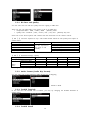
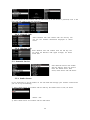
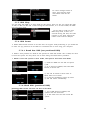
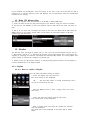
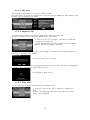
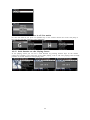
8N2.! SEARCH! function.!
"
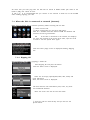
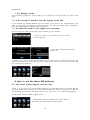
In" the" case" that" there" are" many" album" lists" in" Music" DB," the" search" feature" can" be" useful."
"
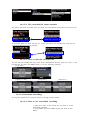
SEARCH" function"
"
"
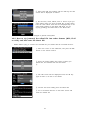
" On" the" album" list" screen," press" SEARCH" button" to"
display" the" above" screen."
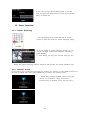
" Enter" the" album" name" into" the" album" name" field" using"
the" remote" control."
"
※" NOTE:" To" view" corresponding" lists" type" the" first" few"
characters" of" the" album"
"
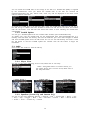
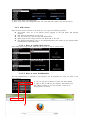
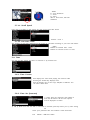
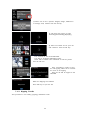
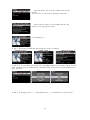
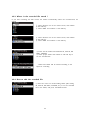
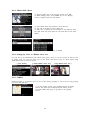
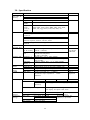
【" TIP" ⑤" 】" You" can" run" the" SEARCH" function" by" artist" from" the" artist" list" screen," by" genre" on"
the" genre" list" screen" or" by" title" on" the" title" list" screen," see" below."
"
"
8N3.! How! to! manage! Music! DB!
"
"
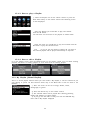
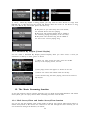
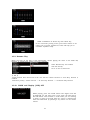
The" X30" allows" you" to" manage" the" Music" DB." You" can" delete" or" rename" albums," artists" and"
genre." You" can" import" music" from" other" storage" devices" (USB" memory" sticks" or" other" hard" disks)"
to" Music" DB" folder."
37"
"