1
Contents
Connections
Playback
Settings
Tips
Appendix
Contents
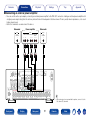
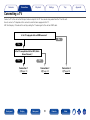
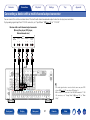
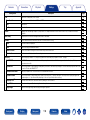
Connecting a playback device···················································· 36
Accessories························································································· 7
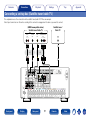
Connecting a set-top box (Satellite tuner/cable TV)························ 37
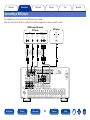
Connecting a DVD player································································ 38
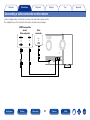
Connecting a video camcorder or other device······························· 39
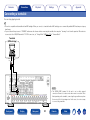
Connecting a turntable···································································· 40
Connecting a device with a multi-channel output connector·········· 41
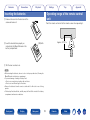
Inserting the batteries······································································· 8
Operating range of the remote control unit······································ 8
Features······························································································· 9
High quality sound············································································· 9
High performance············································································· 9
Easy operation················································································· 10
Connecting an iPod or USB memory device
to the USB port··············································································· 42
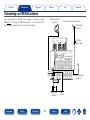
Connecting an FM/AM antenna················································· 44
Connecting to a home network (LAN)····································· 46
Connecting a wireless receiver (RX101)·································· 48
Connecting an external control device···································· 49
Part names and functions
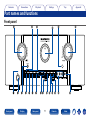
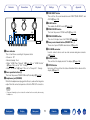
Front panel······················································································· 11
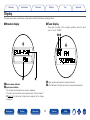
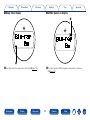
Display······························································································· 14
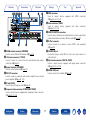
Rear panel························································································· 16
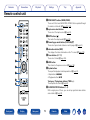
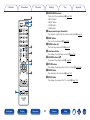
Remote control unit······································································· 19
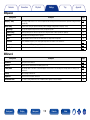
Remotely connecting Marantz devices··········································· 49
Remotely control a Marantz Blu-ray player
by the Marantz Remote App··························································· 50
DC OUT jack···················································································· 50
Connecting the power cord························································· 51
Connections
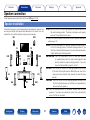
Speaker connection······································································· 22
Speaker installation········································································· 22
Speaker connection········································································· 25
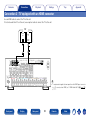
Connecting a TV············································································· 32
Connection 1 : TV equipped with an HDMI connector
and compatible with the ARC (Audio Return Channel)··················· 33
Connection 2 : TV equipped with an HDMI connector···················· 34
Connection 3 : TV equipped without an HDMI connector·············· 35
Front panel
Display
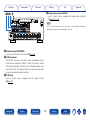
Rear panel
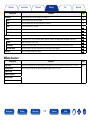
Playback
Basic operation··············································································· 53
Turning the power on······································································ 53
Selecting the input source······························································ 53
Adjusting the master volume·························································· 54
Turning off the sound temporarily··················································· 54
Playing a DVD player/Blu-ray Disc player········································ 54
2
Remote
Index