1
TABLE OF CONTENTS
1 Initial Setup.......................................................................................................4
1.1Installing the Driver and Utility....................................................................4
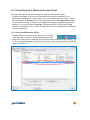
1.2Connecting to a Wireless Access Point......................................................7
1.2.1 Using the Manhattan Utility................................................................7
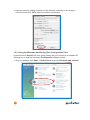
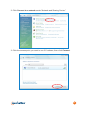
1.2.2 Using the Windows AutoConfig (Zero Configuration) Tool.................8
2 Configuration Utility...................................................................................... 11
2.1 General ....................................................................................................12
2.2 Profile........................................................................................................13
2.2.1 Configuring the Profile......................................................................13
2.3 Available Network .................................................................................... 15
2.4 Status........................................................................................................16
2.5 Wi-Fi Protected Setup (WPS) ..................................................................16
2.5.1 PIN Input Configuration.................................................................. 17
2.5.2 Pushbutton Configuration (PBC)..................................................... 18
2.6 Using the Wireless Adapter as as Access Point........................................20
2.6.1 Access Point Mode...........................................................................20
2.6.2 Virtual Wi-Fi Mode........................................................................... 2
4
3