1
Editing Scan List
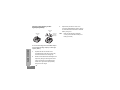
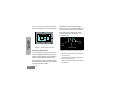
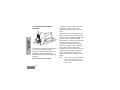
To delete a channel from the Scan List:
Scan Lists can be edited by using the CPS
(refer to CPS section on page 48)
•
Start Scan by short pressing the SB2 button (*)
•
Wait until the radio stops on the channel you wish
to eliminate, then long press the SB2 button to
Nuisance Channel Delete
delete it.
•
The channel will not be removed until you exit
Scan by short pressing the SB2 button again or
by turning the radio OFF.
Note:
(*) Assumes the SB2 button is not
programmed to another function different
from the default.
47
PROGRAMMING
FEATURES
Nuisance Channel Delete allows you to
temporarily remove channels from the Scan
List. This feature is useful when irrelevant
conversations on a ‘nuisance’ channel tie up
the radio's scanning feature.
English