1
Contents
1Important
2
Safety2
Notice3
2 Your Docking Entertainment System 5
Introduction5
What's in the box
5
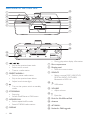
Overview of the main unit
6
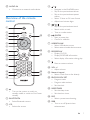
Overview of the remote control
7
3 Get started
Connect power
Prepare the remote control
Set clock
Turn on
4Play
Play disc
Play from USB
Skip to a track
Pause/resume play
Search within a track
Display play information
Select repeat/shuffle play options
Program tracks
8
8
9
9
9
10
10
10
10
10
10
11
11
11
5 Adjust sound
12
12
12
12
12
6 Play iPod/iPhone/iPad
12
12
12
13
13
Adjust volume
Select a preset sound effect
Enhance bass
Mute sound
Compatible iPod/iPhone/iPad
Listen to the iPod/iPhone/iPad
Charge the iPod/iPhone/iPad
Remove the iPod/iPhone/iPad
7 Listen to radio
13
Listen to Digital Audio Broadcasts (DAB)13
Listen to FM radio
16
Reset to factory setting
17
8 Play audio via Bluetooth
17
17
9 Other features
18
18
18
19
Play audio via Bluetooth
Set the sleep timer
Set the alarm timer
Play from an external device
10 Product information
20
Specifications
20
Maintenance20
USB playability information
21
Supported MP3 disc formats
21
RDS program types
21
11Troubleshooting
22
EN
1