1
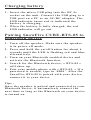
Charging battery
1. I nsert t he micro USB plug into t he D C 5v
socket o n t he unit. Co nnect t he USB plug t o a
USB port o n a PC or an AC/DC adapter. The
LED indicator t urns red to indicat ed t he
bat tery is charg ing.
2. W hen t he batt ery is fully charg ed, t he red
LED indicator w ill go o ut.
Pairing SnowFire CUBE-BTS-05 to
Bluetooth device
1. Turn o ff t he s peaker. Make s ure t he s peaker
is in po wer o ff mo de .
2. Press and ho ld t he o n/o ff butt o n fo r abo ut 6
seco nds unt il t he L ED is flas hing red and blue
alt ernat ively.
3. Turn o n yo ur Bluetoot h enabled device and
act iv ate t he B luetoo t h funct io n.
4. Search fo r t he Bluetoot h dev ice, « BTS-05 »
will s ho w up.
5. Pair yo ur mobile pho ne w it h « BTS -05. » If a
passwo rd is needed, type in ‘0000 ’. A ft er t he
Sno w Fire BTS-05 is paire d wit h yo ur dev ice,
co nnect it to yo ur dev ice
Tips :
Once t he speaker is paired and co nnect ed t o yo u r
Bluetoo t h dev ice, it auto mat ica ly co nnect t he
next t ime as lo ng as t he B lueto ot h o n yo ur dev ice
is t urned o n.