1
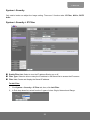
System > Network
In this section, only admin level is authorized to configure the Network settings.
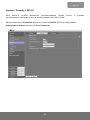
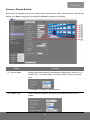
System > Network > Setting
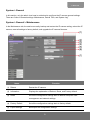
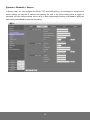
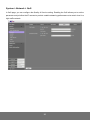
In the Setting page, you can configure the type of network connection for the IP camera and assign a
name for the IP camera. Depending on the network connection, the IP camera can be accessed from
the computer within the same local area network (LAN) or anywhere with an Internet connection. After
completing the settings, click Save to apply the new setting and Cancel to keep the old setting.
Name
Function
(1) Device Name
Assigned name for the IP camera.
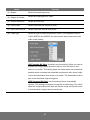
(2) Network Type
Select the type of IP camera network connection.
16