1
mxb380p_en_qck.book
19 ページ
2010年3月12日 金曜日 午後12時53分
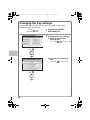
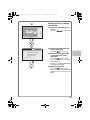
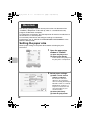
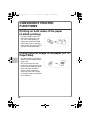
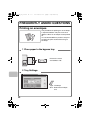
Loading paper in a tray
To change the paper in a tray, load the desired paper in the tray and then
change the tray settings in the machine to specify the loaded paper. The
procedure for changing the tray paper size is explained below. As an
example, the paper in tray 1 is changed from A4 (8-1/2" x 11") size plain
paper to A5 (5-1/2" x 8-1/2") size recycled paper.
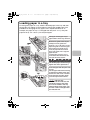
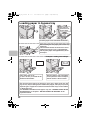
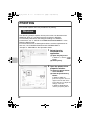
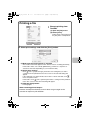
Gently pull out the paper tray. If
paper remains in the tray, remove it.
Move the two guides on the tray. For
example, move the guides from
A4 (8-1/2" x 11") to A5 (5-1/2" x 8-1/2").
Adjust the guides to match the paper
being loaded. If the guides are too
loose, the paper will not be held in
place. If the guides are too tight, the
paper will bow.
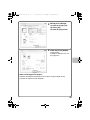
Load the paper so that it is not as
shown below when viewed from the
front and side of the machine.
The loaded paper should not go
higher than these protrusions.
Insert the paper with the print side
face up.
Fan the paper well before inserting
it. Otherwise, multiple sheets may
feed at once and cause a misfeed.
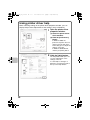
Insert the paper and then gently
push the tray into the machine.
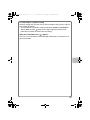
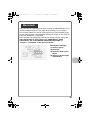
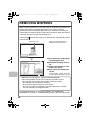
Indicator line
The indicator line indicates the
maximum height of the paper
that can be loaded in the tray.
When loading paper, make sure
that the stack is not higher than
the indicator line.
19