1
- Press and hold it for 3 seconds to receive the RC signal for reception testing.
RESET key:
- Press it to set all values to default values. In case of mal-function, the unit may be
required to reset.
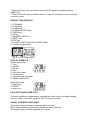
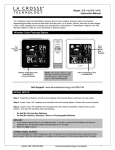
PRODUCT DESCRIPTION
1. LCD display
2. CLOCK key
3. ALARM key
4. ALARM ON/OFF switch
5. DOWN key
6. UP key
7. SNOOZE/LIGHT key
8. RESET key
9. RCC key
10. NIGHT LIGHT FUNCTION ON/OFF switch
11. Battery compartment
DISPLAY SYMBOLS
Normal time mode
1. Time
2. AM/PM
3. Month
4. Date
5. Day of the week
6. Temperature
7. Signal strength indication
8. Daylight saving time
Alarm time mode
1. Alarm time
2. AM/PM
3. Alarm icon
DAYLIGHT SAVING TIME (DST)
The clock has been programmed to automatically switch when the daylight saving
time is in effect. Your clock will show “DST” during the summer.
SIGNAL STRENGTH INDICATOR
The signal indicator displays signal strength in 4 levels.
Wave segment flashing means time signals are being received.
The signal quality could be classified into 4 types: