1
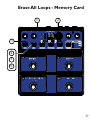
Erase All Loops - Memory Card
The following Erase Loops procedure only erases JamMan Stereo loop data
from a memory card. All other data and files on the card are left untouched.
To erase all loops from an optional SD/SDHC memory card, follow these steps:
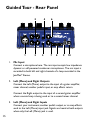
1. Install an optional SD/SDHC memory card in the JamMan Stereo’s
memory card slot on the rear panel.
2. Select a loop memory location that lights the CARD MEM LED.
3. Enable the Shift button.
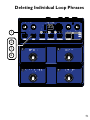
4. Press and hold the Delete button for four seconds until EC (Erase
Memory Card Loops) appears in the Display and release (EL will
show briefly first but keep holding the button until EC appears). The
Delete button will begin flashing.
5. Press the Delete button again. The display reads E? (Erase Loops?).
The Delete button will continue to flash. To abort this procedure,
press the EXIT button.
6. To erase all loop data, press and hold the Delete button for two
more seconds. The Display will show Bu indicating the card is being
erased. When the delete procedure is complete the display will
return to the memory number and the EXIT and DELETE buttons will
turn off.
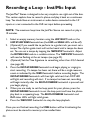
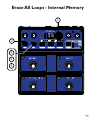
NOTE: If when you try to delete a loop from
SD card the display flashes CP, the SD copy
protection switch is in the “Locked” position.
Unlocked
Locked
56
SD
Card