1
GETTING STARTED
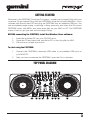
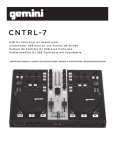
Welcome to the FIRSTMIX Computer DJ system - a great way to begin DJing with your
computer. To get started DJing with the FIRSTMIX, install the included MixVibes’ Cross
software with the included CD and plug the FIRSTMIX into an available USB port. You
can immediately begin mixing, scratching, cutting, reversing, and other slick DJ moves!
FIRSTMIX works with MP3s and other audio files on your MAC or PC. The FIRSTMIX
makes it easy to get your feet wet and begin DJing!
BEFORE connecting the FIRSTMIX, install the Mixvibes Cross software:
1. Insert the included CD into your CD/DVD drive.
2. Open the CD and select the .exe file for PC or the .dmg file for MAC.
3. Follow the on-screen instructions.
To start using the FIRSTMIX:
1. Connect the FIRSTMIX’s attached USB cable to an available USB port on
your MAC/PC.
2. After you have connected the FIRSTMIX, open the Cross software.
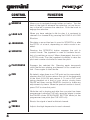
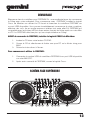
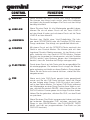
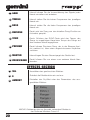
TOP PANEL DIAGRAM
10
9
10 10
7
8
1
10
10
2
S C R ATC H
16
P R E VIE W
10
15
REV
S Y NC
S Y NC
C UE
4
17
S C R ATC H
REV
19
10
C UE
10
10
10
11
1
12
1
14
1
13
10
5
10
6
10
3
3