1
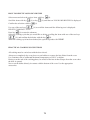
HOW TO ADD STEAM IN THE HOT AIR + STEAM COOKING MODE The hot air + steam cooking cycle allows the user to add steam at any time during the cooking. In this manner the right degree of humidity inside the cooking chamber is reached or maintained in order to obtain a more tender dish. Once the cycle has been selected and activated, the following message appears at regular intervals: PRESS TO ADD STEAM (8) turns on the symbol: that indicates activation of the steam generator. Pressing the key After a few moments, steam will begin to flow into the cooking chamber. The steam is introduced into the chamber at constant intervals separated by brief pauses for a maximum period of about 15 min. at the end of which the steam generator and the indicator turn off. The introduction of the steam can also be deactivated manually at any time with key (8) . The message shown on the display PRESS TO STOP STEAM preceded by a beep signal reminds the user of this possibility. 67