1
QUICK START GUIDE - EN
POWER PACK 2800 – CHARGING INSTRUCTIONS
I POWER PACK CHARGING
Charge the Power Pack from the computer with the included
cable. In order to charge the Power Pack connect cable to
Power Pack’s microUSB port (2) and charge by computer’s
USB port.
Before initial use charge for 8 hours. Charging indicator:
once the Power Pack is fully charged the charging indicator
changes colour from red to blue.
If you do not use the Power Pack, charge it at least every 3
months, to keep it with min. 50% capacity.
II DEVICE CHARGING
To Charge the smartphone, MP3 or other electrical devices
by Power Pack’s original cable. The Cable should be
connected to Power Pack’s USB port (1) and device’s micro
USB port.
III TORCH
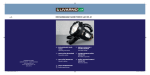
Press the button (3) to
turn on or turn off the
torch (4).
2